
BookAdda gets its data from Barnes and Noble
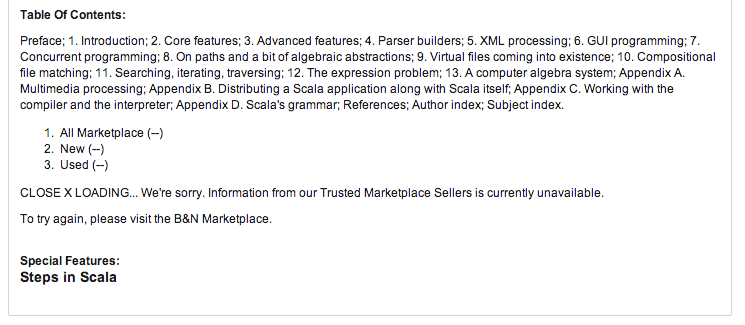
Looks like BookAdda gets its data from B&N 
Memories on the Cloud
The Cloud companies are competing for end users for allowing them to use their services to store their memories(mostly photos/videos) in the Cloud (Ahem! remote harddisks that scale). Its the era of the cloud and sharing.
Pictures are the fastest way to capture a moment. A picture is worth a 1KB of words (but sized about a few MB). Sharing and saving photos, videos are getting famous and easy with cloud storage from each of Adobe, Amazon, Google, Dropbox along with Flickr (now providing free 1TB of storage). Google Glass makes it very easy to snap photos. (Article on Wired). (Don’t forget to read through the most boring parts of Disclaimer and T&C before using services).
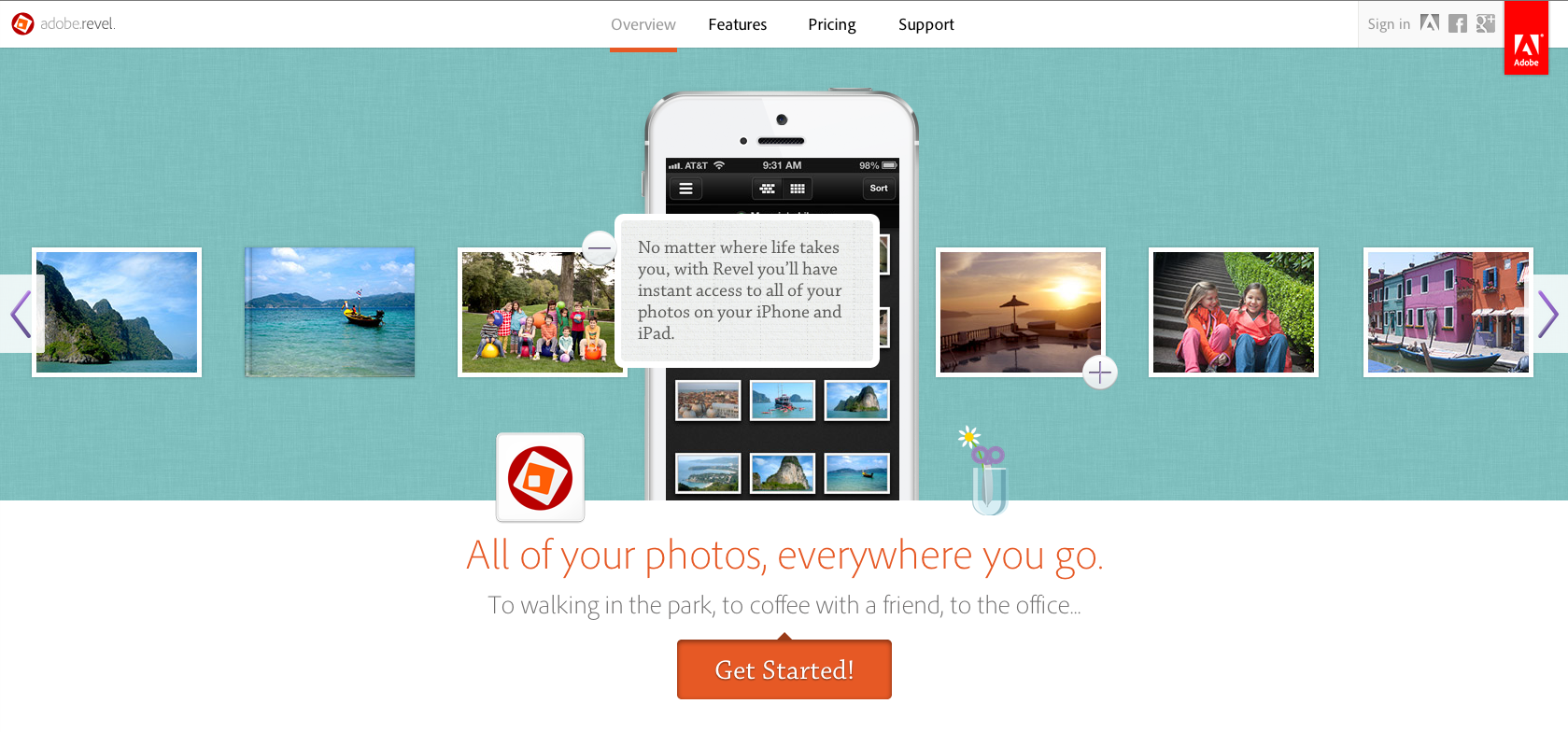
Adobe Revel::
Pricing: Free | $5.99/Month – Unlimited Photo Upload during 1st month
Works On: Mac, iDevices, Web
Uses: Amazon EC2 servers
Amazon CloudDrive::
Pricing: Free (5GB) | $10/year (20 GB) | $25/year (50GB) | $50/year (100 GB) | $100/year (200 GB) | more …
Works on: Android, Mac, Web

Flickr::

Free 1TB of space (1000/1024 GB) (with Ads when browsing)- Announced on 21 May 2013
Pricing: Free | $49/year | $499/year
Works on: Web
Dropbox::
Free 3GB or 5GB space for photos/videos – Announced early 2012
Pricing: Free 2GB + 250MB/invite | $9.99/month (100 Gigs) | $19.99/month (200 Gigs) | $49.99 ( 500 Gigs )
Works on: Web, Android, iDevices, Desktop
PicasaWeb / Google+ Photos::

Pricing: Free with 5GB / 15 GB (15 GB now with Google Drive) | $4.99/month (100Gigs) | $9.99/month (200 Gigs)
Works on: Web
Box ::
(Nothing special for multimedia content as per advertisement)

Pricing: 5GB Free | $9.99/month (25 GB) | $19.99/month (50GB)
Works on: Web | Windows
Omgrofl Programming Language
Sweet Syntax – Omgrofl – Esolang.
Programming Language Trends | Drew Conway
Find the Hot Programming languages from the Programming Language Trends.
Competition Monitoring
A book costs 11.36 Lakhs. Source: Silence on the Wire | BookAdda.com.
Screenshot:
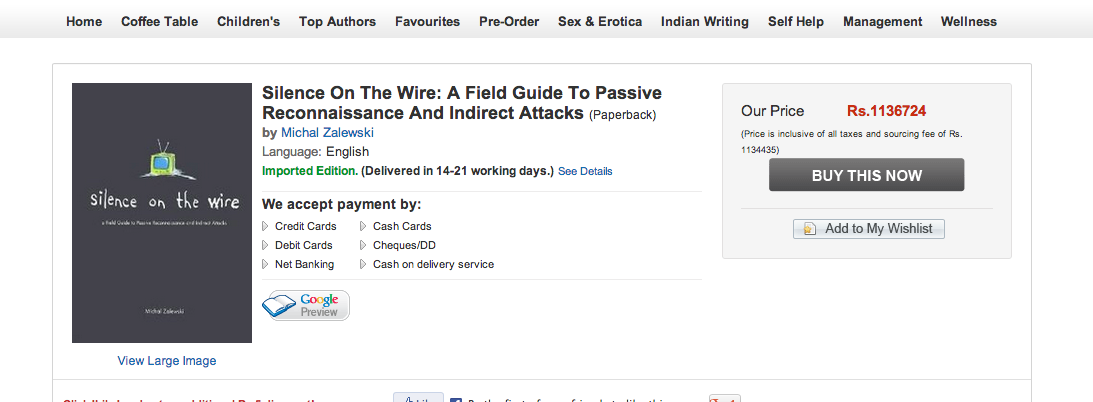
Something like this happened between two sellers on Amazon.com
Quantum Computers are the upgrades to PCs
For the first time, a commercially available quantum computer has been pitted against an ordinary PC – and the quantum device left the regular machine in the dust.
Read more: Commercial quantum computer leaves PC in the dust – physics-math – 10 May 2013 – New Scientist.
The Old Queuing Problem
In Thailand, they figured out how to solve the age-old queuing problem! i.imgur.com/eKgAP6O.jpg #gov20 #brilliant
— Sheba Najmi (@snajmi) February 16, 2013

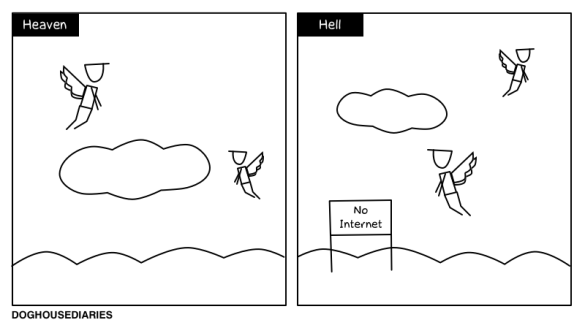
DOGHOUSE | Heaven and Hell
Beautiful Sculptures on Folded Book Art | The Design Inspiration

Infographic Contest Winner: #Blame Twitter – Blog About Infographics and Data Visualization – Cool Infographics

HowTo: ‘grep’ Text Between Two Words in Unix / Linux
10 Reasons The Haters Are Mad About Adobe Creative Cloud | Photofocus
10 Reasons The Haters Are Mad About Adobe Creative Cloud | Photofocus.
(This is the REAL reason for 90% of the noise!) The haters are mad because they realize they can no longer pirate copies of Photoshop.

acqhiring – the new way of hiring without portals :)
This practice is so widespread that a term, acqhiring, has entered the industry lexicon to describe it. Even for the skeptics, it’s difficult to argue that these acquis- itions are about anything other than people. In many deals, like Facebook’s acquisition of Gowalla, the technology was not even a part of the transaction. And when the technology is included in the transaction, it is frequently released as open source post-acquisition. [ The New Kingmakers via OReilly ]
[
]
Why you should be betting against the rupee now – Firstpost
Source: http://www.ccs.in/ccsindia/policy/money/studies/wp0028.pdf
Chronology of India’s exchange rate policies
• 1947 (When India became member of IMF): Rupee tied to pound, Re 1 = 1 s, 6 d, rate of 28 October, 1945
• 18 September, 1949: Pound devalued; India maintained par with pound
• 6 June, 1966: Rupee is devalued, Rs 4.76 = $1, after devaluation, Rs 7.50 = $1 (57.5%)
• 18 November, 1967: UK devalued pound, India did not devalue
• August 1971: Rupee pegged to gold/dollar, international financial crisis
• 18 December, 1971: Dollar is devalued
• 20 December, 1971: Rupee is pegged to pound sterling again
• 1971-1979: The Rupee is overvalued due to India’s policy of import substitution
• 23 June, 1972: UK floats pound, India maintains fixed exchange rate with pound
• 1975: India links rupee with basket of currencies of major trading partners. Although the basket is periodically altered, the link is maintained until the 1991 devaluation.
• July 1991: Rupee devalued by 18-19 %
• March 1992: Dual exchange rate, LERMS, Liberalised Exchange Rate Management System
• March 1993: Unified exchange rate: $1 = Rs 31.37
• 1993/1994: Rupee is made freely convertible for trading, but not for investment purposes
Protecting our brand from a global spyware provider | The Mozilla Blog
I’m a web developer/programmer, and I’m working with a web/print designer. During discussions of a website in development…
Me: For reference, to help you figure out what height to specify, the height of the Home page slide show (right hand) column, from top line to bottom line is 631px. On the Portfolio Page it is slightly taller at 689px.
Client: I am not going to deal with pixels.
How to start when thinking about building a website from scratch ?
I will be writing about the familiar part of the flow, the process of starting to build the website from scratch to launch, which comes at a stage after you have validated and ensured that you’d be working on getting the website up.
- Get the idea right detailed in a 1 pager. Detail in what the service does and what its not supposed to do. StackExchange has a great example – Area51 (The Staging Zone) go through an elaborate process of where users define what are considered good & bad questions so that it clearly defines the scope
- Find and Analyse the competition. You should think about complementing the existing services or do much better than them to avoid people saying “another e-commerce website”. Companies with deep pockets spend money in capturing users and new companies without funding can drain faster trying to keep up with competition.
- The process for getting the site out live – I have seen many websites in this phase which I can explain well (both the good and the bad parts). Skipping (1) & (2) might cost you a visible hole in the financials if realised after the fact.
Since you have the functionality listed now, you’d need a lot of other things to get over.
Step 1 – Company and Domain Name:
Determining the name of the company is a challenge since you’d want the search result on Google to get your name rather than somebody else’s. Having the same domain name and company name helps for referencing (startups usually do, others dont).
This is the toughest one if you are looking for dotCom domain since most of the names you can think of are parked or already been setup, especially if you are starting another cloud based product. If you are looking for a local websites using ccTLDs (has impact on SEO), you might be in a better position to get the name you want.
Step 2 – WireFraming:
WireFraming helps you understand the essential items in each and every page that are listed along with the basic user experience of the website.
If you want a different layout for phones, ensure you cover them as well. (The wireframes would be different for phones based on the resolution).
Popular choice of tools: Balsamiq, Pen & Paper
Step 3 – UI Design:
The aesthetics and colours are decided here with dimensions of the components in each of the pages. The non-web designers who do not deal with interactions in the rich-web space do not care about hovers, dynamic content, screens when loading content, image aspect ratios, several fonts, not using default web elements (good and bad).
The most frustrating and annoying thing is they say the site looks like this for a certain text. They do not deal with what happens when text is more or less. (This ends on the neck of the HTML / CSS designer which is found when adding dynamic content to the site).
Popular choice of tools: Adobe Photoshop/Illustrator
Step 4 – Architecture of the service:
There are 2 schools of thought. Each of these have their own pros and cons
- Considering the scaling aspect before starting to code
- Scaling when required
You determine how your system looks and what services it’d depend on with basic interactions and information. Ensure your system is de-coupled and clear ownership of the services and interactions between services/servers.
Once decided, it could be good idea to determine which languages/frameworks that would be used. Having a rough estimate about monitoring would not harm the conversation.
Step 5 – Static Site:
PSD to HTML/JS/CSS Conversion is done here with basic interactions and AJAX loading of dynamic content should be mocked to get the complete workflow.
Step 6 – BackEnd:
The dynamic part of the data comes in now. You integrate with the backend (data in mysql/sqlite) to add dynamicity and display data. Well, you will find more problems here about few interactions and assumptions you made about representation of data in the frontend.
Step 7 – Others: Social Handles since you would want all of twitter, facebook, pinterest, Google+ where you expect to drive in the social traffic from.
Step 8 – Sandbox and Staging environments:
It is a good idea to setup a CI or deploy often with migrations in place to help look at the state of the system and changelogs to ensure everything works w/o manual intervention. Capistrano might help with deployments and Jenkins CI would help with making it continuous. The staging environment is usually the replica of production database to test newer versions before hitting production
Step 9 – Analytics & Monitoring:
Prior launch / going live, this is an essential part even on your staging server. At Amazon where everything is a service (mostly), there are lot of alarms. Bad alarms can be fixed, but in a situation of no alarms, its hard to figure out the state of the service(s). This is not just for backend services, FrontEnd services also require monitoring.
Sites like Pingdom offers monitoring of websites from various locations. You can setup your own tracking with Nagios for internal systems like databases or other backend services shared.
Step 10 – Production Servers:
Once you are ready, you go live with the website tested on staging. Prior launch, you would want to perform load testing to ensure you know how many users you can handle and ensure it can handle enough load. Ensure your servers are horizontally scalable for peaceful scaling up and down.
Selecting where to host the servers from a.k.a. Hosting:
Hosting depends on your target audience locations. It seems that the server response time impacts SEO. The choice of scalability options with the now popular IaaS options like AWS EC2 / RackSpace or take a PaaS like Heroku or AWS Beanstalk which scales based on pre-set parameters. Speed is all that matters for the customer to wait for your site to show up.
These are the few of the common steps required when building a website from scratch. Also note that, SEO is important too for the website to be search engine friendly.
The Indian E-commerce – Part 1
The current trend in India is e-commerce websites. MySmartPrice (a price comparison site for Indian e-commerce sites) compiled a list of 343 websites (as of May 2012). There are more than 813 seller listings on Junglee.com. There are so many that are not listed
I found 24 websites(as of April 2013) which do the aggregation of prices from pretty old to the latest Indian e-commerce websites. I found all these through a quick 15 minute search. Well, Junglee is the most famous because its made by Amazon. A base for attracting customers towards amazon.in probably.
From my personal experiences of searching for books and buying in the last 2 months of around 10k spent in total.
Flipkart has a great service, Literally a 2-day delivery to Hyderabad. Though an incorrect pincode might lead it to a different city which you should ensure before clicking on ‘Order’.
SnapDeal spends a great fortune to speed up the site to everyone. Their customer service is a nightmare when you email them. They get back to you only after few days and they prefer to talk to you over phone for things that can be done on email. Adobe and Akamai services for their websites.
Infibeam still offers free shipping for any price and had a headstart on getting up 3rd party sellers.You cannot move an item from the cart to a wishlist.
BookAdda has a lot of books in stock which I needed (OReilly books and Pearson) for a fairly lower price tag and in availability. I had many bad experiences with the website like losing the items in the cart.
BuyThePrice was shutdown about a month ago.
Shroff Publishers displays the wishlist (w/o truncating it) and items in cart on each and every page. The shipping costs you about 30% more to the value of items in your cart. They use DTDC ( the not-so great courier company which takes 2 days to deliver a package that is < 1km away from the target). You can create a wishlist even though you are not logged in. ( No other site Indian e-commerce does that currently)
The big sites (Flipkart, Infibeam etc) have their own e-commerce setup, the smaller ones use existing solutions which not so great options for tracking the package or estimates.
The checkout process of Flipkart is a great one. Flipkart has its own Payment Gateway which helps it with the customer experience. PayTM is something that is worth mentioning in terms of UI and the payment gateway experience. You can pay with ease less the frustration brought to you with CC Avenue/HDFC Payment Gateways. I remember selecting the country from a big list. At the least, It could save the billing address from the history or cookies or even look up based on IP to set the country appropriately. I remember the pain of typing my address and multiple forms for each and every payment I make when I renew my domains.
There are also quite a few payment gateways being created. There are websites being created like Stripe in India. juspay has a highly identical user experience and APIs 🙂 Indian websites – if you want to know how not to do and the most frustrating side for customers – choose CCAvenue, if not, choose something like Flipkart/PayTM does.
The toughest thing to solve in a PG is Fraud Detection. I am not sure if PGs in India have to deal with fraud. I have an e-mail from CCAvenue(through a merchant) that it does not pay the merchant if the bank does not release the amount. Paypal used to run in huge losses because of bad/no fraud handling. Amazon does ship the item to the customer only after it goes through an initial Fraud Check).
Finally! The Blog
I have been planning since over an year to restart writing a blog on few other domains I own. And I lost count how many times I procrastinate writing (and working out too). Finally I am the owner of the awesome domain sairam.com. (yay! dot com, but just when ICANN started the new gTLD revolution) I set myself higher priority this time for writing and reading now that my past project (Bookish) was launched in early February 2013.
I have learned a great deal on things while working since the past 5 years in a product based multi national corporation and a service based company. (Past is past, I dont want to get there now.) Starting March 2013, I have been experiencing rather an unexpected life every day. Rather than a fairly straightforward job, I am looking forward to a new life as a freelancer 😀
Free songs from Flyte/Flipkart on 28th Feb 2013
Happy Birthday Flyte !
GharshanaOld – http://www.flipkart.com/flyte/p/DGAD5BUNB8ZYZHRN?affid=cameraw
HappyDays – http://www.flipkart.com/flyte/p/DGAD6KT8ZVP3CYFX?affid=cameraw
NuvvostananteNenodd… – http://www.flipkart.com/flyte/p/DGAD5BUN3PGTBDFH?affid=cameraw
Annamayya – http://www.flipkart.com/flyte/p/DGAD8DR3A3GAVFEF?affid=cameraw
AakhariPoratam – http://www.flipkart.com/flyte/p/DGAD5BUNFY36B4KV?affid=cameraw
Shiva – http://www.flipkart.com/flyte/p/DGAD5BUNGVVEGZAF?affid=cameraw
Ghajini – http://www.flipkart.com/flyte/p/DGAD5BUN3C7ZHY37?affid=cameraw
Kick – http://www.flipkart.com/flyte/p/DGAD5BUNRHGBSN6G?affid=cameraw
IndhruduChandhrudu – http://www.flipkart.com/flyte/p/DGAD5BUNGZMHR2DZ?affid=cameraw
Singam – http://www.flipkart.com/flyte/p/DGAD5CK7HX8QEHBZ?affid=cameraw
ChinnaThambi – http://www.flipkart.com/flyte/p/DGAD6Z9YCYG8R9KZ?affid=cameraw
HitsOfIlaiyaraaja… – http://www.flipkart.com/flyte/p/DGAD6HPQGPYTQG77?affid=cameraw
KadhalKondaen – http://www.flipkart.com/flyte/p/DGAD6Z93YPHYSFHH?affid=cameraw
Kaasi – http://www.flipkart.com/flyte/p/DGAD6Z93FVFH3P8M?affid=cameraw
Friends – http://www.flipkart.com/flyte/p/DGAD6Z93VVEYGTHD?affid=cameraw
Pokkiri – http://www.flipkart.com/flyte/p/DGAD6Z93C2AGJQPT?affid=cameraw
Dhol – http://www.flipkart.com/flyte/p/DGAD6Z93PBYCJEGK?affid=cameraw
ChithiramPesuthadi – http://www.flipkart.com/flyte/p/DGAD6Z9HJUYNZHHZ?affid=cameraw
Sivakasi – http://www.flipkart.com/flyte/p/DGAD6Z93ZGKRUCPG?affid=cameraw
Rojavanam – http://www.flipkart.com/flyte/p/DGAD6Z93WWEEATB3?affid=cameraw
Free songs from Flyte/Flipkart on 27th Feb 2013
TakkariDonga – http://www.flipkart.com/flyte/p/DGAD5BUNU4BM95PU?affid=cameraw
NinnuChoostheLove… – http://www.flipkart.com/flyte/p/DGAD7GD3MZDQE6RP?affid=cameraw
Baba – http://www.flipkart.com/flyte/p/DGAD5BUNNHCN4TJQ?affid=cameraw
BodyGuard – http://www.flipkart.com/flyte/p/DGAD5BUNE2Z8HM9S?affid=cameraw
Oy – http://www.flipkart.com/flyte/p/DGAD5BUNSZKFF6GP?affid=cameraw
BhairavaDweepam – http://www.flipkart.com/flyte/p/DGAD5BUNYYVFA2YF?affid=cameraw
KalisundhamRaa – http://www.flipkart.com/flyte/p/DGAD5BUNXXAFFK9B?affid=cameraw
Thammudu – http://www.flipkart.com/flyte/p/DGAD5BUNFUGY99HK?affid=cameraw
Lovely – http://www.flipkart.com/flyte/p/DGAD7PX9YXH6VXGA?affid=cameraw
PremanteIdera – http://www.flipkart.com/flyte/p/DGAD5BUNYY6H2BXE?affid=cameraw
7AumArivu – http://www.flipkart.com/flyte/p/DGAD7XZ25ZZGZFYR?affid=cameraw
Paruthiveeran – http://www.flipkart.com/flyte/p/DGAD6Z9NGZKUXTAF?affid=cameraw
Mudhalvan – http://www.flipkart.com/flyte/p/DGAD6Z93SNDHFUDQ?affid=cameraw
AhAah – http://www.flipkart.com/flyte/p/DGAD6Z93ZVJ8HZFE?affid=cameraw
Run – http://www.flipkart.com/flyte/p/DGAD6Z93TQGQMUZR?affid=cameraw
Suryavamsam – http://www.flipkart.com/flyte/p/DGAD6Z9NMXSFSG2G?affid=cameraw
RojaKkoottam – http://www.flipkart.com/flyte/p/DGAD6Z9NYGPWPRTY?affid=cameraw
Tamizhan – http://www.flipkart.com/flyte/p/DGAD6Z9NWHGV3TUA?affid=cameraw
Thiruppatchi – http://www.flipkart.com/flyte/p/DGAD6Z9NZ6CJHQKP?affid=cameraw
Free songs from Flyte/Flipkart on 26th Feb 2013
Note, songs are available to download for Flipkart users and limited to Indian internet space 🙂
Its part of the ongoing Birthday celebrations for Flyte . Thank at @flipkart or @flytedigital .
Note: You need to download these songs before 3rd March 2013.
Source: http://www.flipkart.com/flyte/birthday?affid=cameraw&date=20130226
YetoVellipoyindhiM… – http://www.flipkart.com/flyte/p/DGADCWYGFDTQQJEB?affid=cameraw
RudraVeena – http://www.flipkart.com/flyte/p/DGAD5BUNQZAMHWBK?affid=cameraw
Murari – http://www.flipkart.com/flyte/p/DGAD5BUNDXHF4UGX?affid=cameraw
Khadgam – http://www.flipkart.com/flyte/p/DGAD5BUNHVKZN2SE?affid=cameraw
Panjaa – http://www.flipkart.com/flyte/p/DGAD5BUN4MDRHU2Z?affid=cameraw
Chirutha – http://www.flipkart.com/flyte/p/DGAD5BUNGMUTZKRC?affid=cameraw
OkaRadhaIddaruKri… – http://www.flipkart.com/flyte/p/DGAD5BUNFYAB48RG?affid=cameraw
Okkadu – http://www.flipkart.com/flyte/p/DGAD5BUNNNXSHZGU?affid=cameraw
EndukantePremanta – http://www.flipkart.com/flyte/p/DGAD925SB9H3NHGY?affid=cameraw
Super – http://www.flipkart.com/flyte/p/DGAD5BUNYGB3TSHD?affid=cameraw
Vaasu – http://www.flipkart.com/flyte/p/DGAD5BUNHS9HXBYJ?affid=cameraw
NeeSneham – http://www.flipkart.com/flyte/p/DGAD5BUNR2NEHX9Q?affid=cameraw
Santhosham – http://www.flipkart.com/flyte/p/DGAD5BUNZRSGWCKY?affid=cameraw
Johnny – http://www.flipkart.com/flyte/p/DGAD5BUNEZS6G9BG?affid=cameraw
HelloBrother – http://www.flipkart.com/flyte/p/DGAD5BUNEZFXUBCJ?affid=cameraw
Aparichithudu – http://www.flipkart.com/flyte/p/DGAD5BUNGHSHGFZH?affid=cameraw
Leader – http://www.flipkart.com/flyte/p/DGAD5BUNJEFG2GTM?affid=cameraw
KonchemIshtamKonch… – http://www.flipkart.com/flyte/p/DGAD5BUNNGVVUSPZ?affid=cameraw
Businessman – http://www.flipkart.com/flyte/p/DGAD5BUNBTGGZPBF?affid=cameraw
Ghajini – http://www.flipkart.com/flyte/p/DGAD5BUN3C7ZHY37?affid=cameraw
Bunny – http://www.flipkart.com/flyte/p/DGAD5BUN7WAM4ZXE?affid=cameraw
Malleswari – http://www.flipkart.com/flyte/p/DGAD5BUNCHM3RTCQ?affid=cameraw
PelliChesukundham – http://www.flipkart.com/flyte/p/DGAD5BUNK9SET84E?affid=cameraw
Eega – http://www.flipkart.com/flyte/p/DGAD948W7VGMJHY4?affid=cameraw
Anand – http://www.flipkart.com/flyte/p/DGAD5BUNVCHBUFGY?affid=cameraw
NeevalleNeevalle – http://www.flipkart.com/flyte/p/DGAD5BUNXXFCSS5E?affid=cameraw
Yuva – http://www.flipkart.com/flyte/p/DGAD5BUNKKEEHZ5S?affid=cameraw
NuvvostananteNenodd… – http://www.flipkart.com/flyte/p/DGAD5BUN3PGTBDFH?affid=cameraw
AayithaEzhuthu – http://www.flipkart.com/flyte/p/DGAD6HQJU4WPBAPB?affid=cameraw
Singam – http://www.flipkart.com/flyte/p/DGAD5CK7HX8QEHBZ?affid=cameraw
KadhalarDhinam – http://www.flipkart.com/flyte/p/DGAD6Z93X7YWWUXG?affid=cameraw
HitsOfAjith – http://www.flipkart.com/flyte/p/DGADAH4WQ5FEZ5VV?affid=cameraw
Kadhal – http://www.flipkart.com/flyte/p/DGAD8NQ5WWK5NANY?affid=cameraw
ThavamaiThavamirundhu – http://www.flipkart.com/flyte/p/DGAD6Z9NNDHGSBKQ?affid=cameraw
Thirumalai – http://www.flipkart.com/flyte/p/DGAD6Z9TVMJVZN3N?affid=cameraw
Nizhalgal – http://www.flipkart.com/flyte/p/DGAD5BUP4YFEJUCH?affid=cameraw
Guru – http://www.flipkart.com/flyte/p/DGAD6HQJXWQXF9FF?affid=cameraw
Free songs from Flyte/Flipkart on 25th Feb 2013
Note, songs are available to download for Flipkart users and limited to Indian internet space 🙂
Its part of the ongoing Birthday celebrations for Flyte . Thank at @flipkart or @flytedigital .
Note: You need to download these songs before 3rd March 2013.
Source: http://www.flipkart.com/flyte/birthday?affid=cameraw&date=20130225
RudraVeena – http://www.flipkart.com/flyte/p/DGAD5BUNQZAMHWBK?affid=cameraw
KonchemIshtamKonch… – http://www.flipkart.com/flyte/p/DGAD5BUNNGVVUSPZ?affid=cameraw
Khadgam – http://www.flipkart.com/flyte/p/DGAD5BUNHVKZN2SE?affid=cameraw
Okkadu – http://www.flipkart.com/flyte/p/DGAD5BUNNNXSHZGU?affid=cameraw
Super – http://www.flipkart.com/flyte/p/DGAD5BUNYGB3TSHD?affid=cameraw
Leader – http://www.flipkart.com/flyte/p/DGAD5BUNJEFG2GTM?affid=cameraw
Johnny – http://www.flipkart.com/flyte/p/DGAD5BUNEZS6G9BG?affid=cameraw
Malleswari – http://www.flipkart.com/flyte/p/DGAD5BUNCHM3RTCQ?affid=cameraw
EndukantePremanta – http://www.flipkart.com/flyte/p/DGAD925SB9H3NHGY?affid=cameraw
Panjaa – http://www.flipkart.com/flyte/p/DGAD5BUN4MDRHU2Z?affid=cameraw
HitsOfAjith – http://www.flipkart.com/flyte/p/DGADAH4WQ5FEZ5VV?affid=cameraw
Singam – http://www.flipkart.com/flyte/p/DGAD5CK7HX8QEHBZ?affid=cameraw
ThangaPathakkam – http://www.flipkart.com/flyte/p/DGAD5BURQMHY7URN?affid=cameraw
KadhalarDhinam – http://www.flipkart.com/flyte/p/DGAD6Z93X7YWWUXG?affid=cameraw
AayithaEzhuthu – http://www.flipkart.com/flyte/p/DGAD6HQJU4WPBAPB?affid=cameraw
Kadhal – http://www.flipkart.com/flyte/p/DGAD8NQ5WWK5NANY?affid=cameraw
ThavamaiThavamirundhu – http://www.flipkart.com/flyte/p/DGAD6Z9NNDHGSBKQ?affid=cameraw
Nizhalgal – http://www.flipkart.com/flyte/p/DGAD5BUP4YFEJUCH?affid=cameraw
Thirumalai – http://www.flipkart.com/flyte/p/DGAD6Z9TVMJVZN3N?affid=cameraw
Guru – http://www.flipkart.com/flyte/p/DGAD6HQJXWQXF9FF?affid=cameraw
Taking Flipkart/Flyte downloads one step further
Instead of multiple clicks, you can just open Console and type in.
FKART.digital.addToLibrary(‘DGADCWYGABB8HQGP’)
I haven’t tested the case where there is money in the Wallet.
Hail Javascript! Well JQuery in this case.
Free songs from Flyte/Flipkart on 24th Feb 2013
Note, songs are available to download for Flipkart users and limited to Indian internet space 🙂
Its part of the ongoing Birthday celebrations for Flyte . Thank at @flipkart or @flytedigital .
Note: You need to download these songs before 3rd March 2013.
http://www.flipkart.com/flyte/birthday?affid=cameraw
ShirdiSai – http://www.flipkart.com/flyte/p/DGADCWYGABB8HQGP?affid=cameraw
OhMyFriend – http://www.flipkart.com/flyte/p/DGAD5BUNKQGH8EHG?affid=cameraw
Maghadheera – http://www.flipkart.com/flyte/p/DGAD5BUNU2SGMRXD?affid=cameraw
NaaAutograph – http://www.flipkart.com/flyte/p/DGAD5BUNYFYNXAKU?affid=cameraw
Racha – http://www.flipkart.com/flyte/p/DGAD6ZA5NNTUEXGK?affid=cameraw
Vikramarkudu – http://www.flipkart.com/flyte/p/DGAD5BUNKT3C6H5P?affid=cameraw
Happy – http://www.flipkart.com/flyte/p/DGAD5BUNYMRGEJXJ?affid=cameraw
StuvartupuramPolice… – http://www.flipkart.com/flyte/p/DGAD5BUNFGGGEAFF?affid=cameraw
Bommarillu – http://www.flipkart.com/flyte/p/DGAD5BUNGHHYY4SB?affid=cameraw
KannukulNilavu – http://www.flipkart.com/flyte/p/DGAD6Z92RZ2HURNK?affid=cameraw
Goa – http://www.flipkart.com/flyte/p/DGAD5CK8T8QS2P63?affid=cameraw
Badhri – http://www.flipkart.com/flyte/p/DGAD6Z9NXQDJGE5V?affid=cameraw
Nandhaa – http://www.flipkart.com/flyte/p/DGAD6Z932HB9RNZQ?affid=cameraw
KannathilMuthamittal – http://www.flipkart.com/flyte/p/DGAD6KT46ZNWWXHT?affid=cameraw
VaaranamAayiram – http://www.flipkart.com/flyte/p/DGAD5CK73WXSBABG?affid=cameraw
Autograph – http://www.flipkart.com/flyte/p/DGADA2QBCBFSZDPQ?affid=cameraw
Billa2 – http://www.flipkart.com/flyte/p/DGAD97GYQEDDPFRG?affid=cameraw
NaerukkuNaer – http://www.flipkart.com/flyte/p/DGAD6Z93Z9RTHGWQ?affid=cameraw
Free songs from Flyte/Flipkart on 23rd Feb 2013
Note, songs are available to download for Flipkart users and limited to Indian internet space 🙂
Its part of the ongoing Birthday celebrations for Flyte . Thank at @flipkart or @flytedigital .
Note: You need to download these songs before 3rd March 2013.
http://www.flipkart.com/flyte/birthday?affid=cameraw
Kadali – http://www.flipkart.com/flyte/p/DGADGH6XV5UJZRHR?affid=cameraw
YemaayaChesave – http://www.flipkart.com/flyte/p/DGAD5CK8CGUAHJHG?affid=cameraw
Varsham – http://www.flipkart.com/flyte/p/DGAD5BUNFHMYEGVV?affid=cameraw
ChantiOld – http://www.flipkart.com/flyte/p/DGAD5BUN8FRAKQ2V?affid=cameraw
Swarabhishekam – http://www.flipkart.com/flyte/p/DGAD5BUNCE7BNG2C?affid=cameraw
NuvvuLekaNenuLenu – http://www.flipkart.com/flyte/p/DGAD5BUNSZYGFRHY?affid=cameraw
Pournamy – http://www.flipkart.com/flyte/p/DGAD5BUNMRQYTMSP?affid=cameraw
NamoVenkatesa – http://www.flipkart.com/flyte/p/DGAD5BUNZKTXYXKF?affid=cameraw
Sruthilayalu – http://www.flipkart.com/flyte/p/DGAD5BUNKCVHVWZM?affid=cameraw
Prema – http://www.flipkart.com/flyte/p/DGAD5BUNYENMYYMU?affid=cameraw
Maattrraan – http://www.flipkart.com/flyte/p/DGADCBSHHQMATDCT?affid=cameraw
Subramaniapuram – http://www.flipkart.com/flyte/p/DGAD7XZ2VH7SCQTA?affid=cameraw – My Personal Favourite – http://www.flipkart.com/kangal-irandal/p/itmd7xmqahkrghhh?pid=DGSD7XMPWBTJGPZM&affid=cameraw
Priyamaanavale – http://www.flipkart.com/flyte/p/DGAD6Z9NTBJZXAGG?affid=cameraw
Kushi – http://www.flipkart.com/flyte/p/DGAD6Z93QGDHZ2ZD?affid=cameraw
Paiya – http://www.flipkart.com/flyte/p/DGAD7XZ2NQ4VKXAJ?affid=cameraw
4Students – http://www.flipkart.com/flyte/p/DGAD6Z9HW3YGPD2C?affid=cameraw
Pithamagan – http://www.flipkart.com/flyte/p/DGAD6Z93NGGHARQG?affid=cameraw
Kuselan – http://www.flipkart.com/flyte/p/DGAD8GQASHNS9NHY?affid=cameraw
Free songs from Flyte/Flipkart on 22nd Feb 2013
Note, songs are available to download for Flipkart users and limited to Indian internet space 🙂
Its part of the ongoing Birthday celebrations for Flyte . Say hello at @flipkart or @flytedigital
http://www.flipkart.com/flyte/birthday?affid=cameraw
http://www.flipkart.com/flyte/p/DGAD5BUNBX24TAFF?affid=cameraw – Dont miss the all time favourite – Subalekha Rasukunna Yedalo Eppudo
http://www.flipkart.com/flyte/p/DGAD5BUNGCRFN3HJ?affid=cameraw
http://www.flipkart.com/flyte/p/DGAD5BUNNFBM2KEF?affid=cameraw
http://www.flipkart.com/flyte/p/DGAD5BUNVE2BGRG3?affid=cameraw
http://www.flipkart.com/flyte/p/DGAD5BUNVMXH6F4N?affid=cameraw
http://www.flipkart.com/flyte/p/DGAD5BUNVNTASYDH?affid=cameraw
http://www.flipkart.com/flyte/p/DGAD5BUNYVAHYGXM?affid=cameraw
http://www.flipkart.com/flyte/p/DGAD5BUNZTC6QZGY?affid=cameraw
http://www.flipkart.com/flyte/p/DGAD6ZABBGUGX923?affid=cameraw
http://www.flipkart.com/flyte/p/DGAD7ZY5PSA4SANU?affid=cameraw
http://www.flipkart.com/flyte/p/DGAD5BUPVSMT3NMR?affid=cameraw
http://www.flipkart.com/flyte/p/DGAD6Z93BDZGJDBN?affid=cameraw
http://www.flipkart.com/flyte/p/DGAD6Z9HGCYWTGZH?affid=cameraw
http://www.flipkart.com/flyte/p/DGAD6Z9NGZKUXTAF?affid=cameraw
http://www.flipkart.com/flyte/p/DGAD6Z9NHJ8HBFZ9?affid=cameraw
http://www.flipkart.com/flyte/p/DGAD6Z9NSX7MRHFF?affid=cameraw
http://www.flipkart.com/flyte/p/DGADA2QBADAXESAE?affid=cameraw
http://www.flipkart.com/flyte/p/DGADBKVFSQDCGQZD?affid=cameraw
http://www.flipkart.com/flyte/p/DGADGTUZXFFDRYMY?affid=cameraw
Free songs from Flyte/Flipkart on 21st Feb 2013 (Region limited to India)
Note, songs are available to download for Flipkart users and limited to Indian internet space 🙂
Its part of the ongoing Birthday celebrations for Flyte . Say hello at @flipkart or @flytedigital
http://www.flipkart.com/flyte/birthday?affid=cameraw
Telugu:
http://www.flipkart.com/yay/p/DGAD5BUNDZKV5UCA?affid=cameraw
http://www.flipkart.com/yay/p/DGAD5BUNQ3ZSPHBZ?affid=cameraw
http://www.flipkart.com/yay/p/DGAD5BUN2PAAYNGR?affid=cameraw
http://www.flipkart.com/yay/p/DGAD5BUNR5A5DDJ4?affid=cameraw
http://www.flipkart.com/yay/p/DGAD5BUNYQHWSUHH?affid=cameraw
http://www.flipkart.com/yay/p/DGAD5BUNF4STMZ2B?affid=cameraw
http://www.flipkart.com/yay/p/DGADHQUYZ5FKSPHT?affid=cameraw
http://www.flipkart.com/yay/p/DGAD5BUNZUBHZYPK?affid=cameraw
http://www.flipkart.com/yay/p/DGAD6HQC4ET8D9YG?affid=cameraw
Tamil:
http://www.flipkart.com/yay/p/DGAD5BUM9NEHT8HX?affid=cameraw
http://www.flipkart.com/yay/p/DGAD5BURH3MAYXWC?affid=cameraw
http://www.flipkart.com/yay/p/DGAD6Z939XWTGVXX?affid=cameraw
http://www.flipkart.com/yay/p/DGAD6Z9H3MMGGZVC?affid=cameraw
http://www.flipkart.com/yay/p/DGAD6Z9NEGZYDHBE?affid=cameraw
http://www.flipkart.com/yay/p/DGAD6Z9NMPJYSH9Z?affid=cameraw
http://www.flipkart.com/yay/p/DGAD7XZ2JQRMZXZM?affid=cameraw
http://www.flipkart.com/yay/p/DGADBKVFXAGBF394?affid=cameraw
http://www.flipkart.com/yay/p/DGADFRBVDSHPKKGD?affid=cameraw
Hijack any launchrock page in 1 minute
Really?
Yes. This vulnerability lets any launchrock user to hijack your launchrock landing page (embedded widgets are safe)
Show me!
So who are affected?
Any custom launchrock domain pointing to sites.launchrock.com for CNAME, which is basically pointing your DNS to launchrock servers, is vulnerable to this attack.
I was successfully able to hijack my friend’s launch.learnsocial.com as well as a few launch pages of my own.
$ dig launch.learnsocial.com @8.8.8.8 ;; ANSWER SECTION: launch.learnsocial.com. 21599 IN CNAME sites.launchrock.com. sites.launchrock.com. 299 IN A 50.17.236.4
This works because launchrock does not check whether,
- you own that domain or not
- the domain is already in use by some other site (Tumblr does this)
So, anybody with malicious intentions can hijack at least 1000 sites that currently point to launchrock servers.
How can I quickly try this hack?
- Create a “new project” / use an existing project
- Point your project’s domain to an existing launchrock page’s domain (Feel free to use
launch2.yekkada.comto test it out.)
Quick try for developers:
$.ajax({url: 'http://platform.launchrock.com/v1/updateSiteSetting', method: 'POST', data: {session_id: 'session_id', site_id: 'FV0CNZBC', setting_name: 'siteDomain', setting_value: 'launch2.yekkada.com'} });
$.ajax({url: 'http://platform.launchrock.com/v1/launchSite', method: 'POST', data: {site_id: 'FV0CNZBC'} });
It took me more time to get around the UI than to find this bug. I could not use the ‘advanced code editor’.
Is there no solution?
Until launchrock comes up with a solution (something along the lines of google app’s approach to custom domains), there seems to be only 1 solution to this if you want to continue to use launchrock.
Use your own server to “embed” the same code.
That’s what we ended up doing for our idea – VacantWalls.
Is embedding secure?
Yes, compared to pointing your site’s DNS to launchrock’s servers.
We have already brought this to launchrock’s attention

Well, there is lot of airtraffic
VMware: VMware vFabric Blog: Spring and RabbitMQ – Behind India’s 1.2 Billion Person Biometric Database
Aadhaar and its architecture. Did you know only < 3% of people in India pay Income Tax ?
Now, thats a video on abusing 500 Gig Hard drive. Well they do do a good job explaining how a hard disk works.
(Source: http://www.youtube.com/)

Well F**k you Monster.com ! Now everyone knows my frigging password !
Looking at the config file here made me realize that my Cellar could also contain a homebrew package. I never really like the part where I download from a stupid site w/o versioning. Thanks _github@jgreet .
When you sell a company, there’s four levels of money that you can make from it. When you sell a company, you can get new shoes, a new car, a new house or a new life.” – Tom Preston-Werner
Inflation in India (Graphed)
Found the census from a random read on the Indian Income Tax website. Thought I’d graph it. Foreign companies setup shop, make good load of money (I agree that its just business).

Dont freak out if your domain does not show “whois” information while you are transferring between registrars. It happens and it did !
The Registry database contains ONLY .COM, .NET, .EDU domains and Registrars.
Domain not found.
NOOOOOOOOOOOOOOOOOOOOOOOOOOOOOOOOOOOOOOOO !
Using search engines to identify fake vs real
I was browsing through a forum late last night and I came across a thread that allgedly states ‘Jagan’ built a big house (bigger than that of Ambani’s house in Mumbai) . There is some investing that is ongoing on the ownership and the money behind it. That topic is out of the scope of this blog.
So, the pictures that were posted only have pictures of bedrooms (as identified by one user) and a glance at them made me feel like they belonged to various hotels since there is no single theme(just a thought). I took the url of a picture and put it on tineye ( a reverse image search engine ) . Looking at the results made me realize that the images displayed were fake.
A reverse image search engine gets the images based on the image as input like Google does it for text. The image is read and it will try to match the image. This is a sample use case.
Creating temporary files
During operational work, you need the output of a command. You always would use it now or later. You need to store it in a temporary file . People try all sorts of things like saving it in /tmp/1 (which I always do), /tmp/11 , /tmp/12 if there are two files . I always ignore deleting them since the OS will take care of the files present /tmp/ (after reboots).
Well, there is a better way – mktemp (on unix) or more specifically on a Mac mktemp -t b where b is any string.
Keeping your code clean is one thing, maintaing your directories clean is the most important thing just like the shelves in your cupboard.

Yes, its an Array. So, whose birthday is it today ?

Introducing: Highlighted Posts
Every now and then, a post comes along that’s meant for big things. It could be pulling the wraps off your new project, promoting your next show, raising awareness for a cause, or just sharing a truly incredible photo.
Today you’ll have a new option to Highlight those extra-important posts. For one dollar, your post will stand out in the Dashboard with a customizable sticker to make sure your followers take notice!
God. I am getting so fed up with Google. This is this morning’s comparison. I experience this at least once a day now for a variety of things.
I may not be done with Google yet, but I can see the day I will be on the horizon, and I am looking forward to it.
stow – install software and bind them with symlinks
Stow, the software I wish I had all the time which deploys with symlinks instead of actual binaries. homebrew already has this which allows it very easy to switch between versions and keeps the directory structure clean
Stow is a tool for managing the installation of multiple software
packages to a shared run-time directory tree (e.g. /usr/local) via
symlinks, whilst keeping the files from each package separate.  Whilst
traditionally it has often been used to manage system-wide software
installations, it also provides a clean mechanism for managing
software and configuration files in users' home directories[2].
More information is available at the homepage:
This is the first official release of Stow since January 2002, and the
new version is a complete refresh of the entire codebase, with a
substantial number bugfixes and enhancements.
Stow was the software I wish I had. I have resumed to blog about my love of opensource and awesome software
I have reason to believe www.letsbuy.com is running OSCommerce .
Reason: Google for error which you find at letsbuy.com/
USB Drive Reinvented | Remote File Access Made Simple and Secure
Maverick Ubuntu 10.10 on VirtualBox – Guest Additions Working
sudo apt-get install virtualbox-ose-guest-x11
Finally installed ubuntu and its working !
Maverick Ubuntu 10.10 on VirtualBox – Guest Additions Working
vim on rails
Time Saving Tricks

git-dude: Lightweight Git commit notifier for Linux and OSX
You might have seen our post last year on Gitifier, the Git commit notifier for OSX. If you prefer something a bit more *nix-y, check out git-dude from Marcin Kulik. Git-dude is a command line utility that monitors Git repos and provides desktop notifications using Growl on OSX or libnotify on Linux.
Configuration is done in the standard Git way:
git config --global dude.interval 30
git config --global dude.icon ~/.git-dude/github_32.png
Check the README for installation and advanced usage.


$30 tablet in India ? Beats the bloddy fire
How to install ruby-1.9.3-rc1 using rvm
rvm adds ruby 1.9.3-rc1 into their set (ruby developer community announced it on last Saturday 24th Sep 2011). I tried this on a Mac. Should be the same on linux as well.
Before installing ruby 1.9.3-rc1 , you might want to check out what is being deprecated and what is being added in future versions of ruby. There is a blog post on rubyinside about this.
rvm install 1.9.3-rc1
rvm use 1.9.2-p290
rvm gemset export 192.gems
rvm use 1.9.3-rc1
rvm gemset import 192
rvm —default 1.9.3-rc1
Change the appropriate .rvmrc files in your projects to use the new and improved ruby.
How to avoid git commits using the wrong profile
Have you ever committed to the right repo using the wrong profile? I have, so many times that I have lost count. It has always been a pain for me to remember which git account (office, personal, etc) I was currently logged into before making a commit.
I am sure there are many people out there facing the same problem. An article from one of the ruby articles led me to gas (stands for ‘Git Account Switch’? I don’t know). So basically, gas lets you maintain multiple git accounts and also switch from one account to another with a command as simple as,
gas use office #if the name of the profile is ‘office’
Do you see the problem here? Yes, even though gas reduced the number of steps to change the profile, it is still a manual step.
So we still need to remember to change the profile when we change to the associated project folder.
The following is my hack using rvm’s (inefficient) feature of executing the current directory’s .rvmrc file every time you change directories (By the way, if you are not already using rvm, I recommend you do so!)
Example:
/home/sairam/code/office/.rvmrc
rvm use ruby-1.9.2-p290-patched # which ruby version to use
gas use office
/home/sairam/code/personal/.rvmrc
rvm use ruby-1.9.2-p290
gas use personal
So from now on, whenever I change to ‘office’ or ‘personal’ directories, the corresponding .rvmrc files in the hierarchy are executed and the right git profile is applied thanks to gas.
P.S: If you want to change a mistake which you already made, there is git filter-branch
Digitally sketch on paper with Wacom’s Inkling | Accessories | Creative Notes | Macworld
Google’s First Wallet Customer 🙂
(Source: http://www.youtube.com/)

All Chrome needs is RAM ! 3.2 Gigs for about 50 tabs 🙂
11 Tools to Instantly Code Faster | Nettuts
How to fix bookmarklets for broken Google Reader when using multi logins
Fixing the bookmarklets in the ‘Goodies’ tab in Settings Page of Google Reader http://www.google.com/reader/view/#overview-page . It’s broken for users using multi login.
javascript:if%20(typeof(_IS_MULTILOGIN_ENABLED)==’undefined’){var%20_IS_MULTILOGIN_ENABLED=false};var%20b=document.body;var%20GR________bookmarklet_domain=’http://www.google.com’;if(b&&!document.xmlVersion){void(z=document.createElement(‘script’));void(z.src=’http://www.google.com/reader/ui/link-bookmarklet.js’);void(b.appendChild(z));}else{}
Note in Reader » (Drag link into bookmark bar)
javascript:if%20(typeof(_IS_MULTILOGIN_ENABLED)==’undefined’){var%20_IS_MULTILOGIN_ENABLED=false};var%20b=document.body;var%20GR________bookmarklet_domain=’http://www.google.com’;if(b&&!document.xmlVersion){void(z=document.createElement(‘script’));void(z.src=’http://www.google.com/reader/ui/subscribe-bookmarklet.js’);void(b.appendChild(z));}else{location=’http://www.google.com/reader/view/feed/’+encodeURIComponent(location.href)}
Subscribe… (Drag link into bookmark bar)
Information borrowed from some google groups forum.
Steve Jobs: The Exclusive Biography (Pre-order at Flipkart)

Throw, Catch, Raise, Rescue… I’m so confused!
catch and throw in ruby . nice tutorial

letsbuy.in coupon 15% or Rs1000 off max
Got the coupon to buy from LetsBuy.in from a friend.
Looks like its only 1 time per email id/mobile number. The details of the coupon are below and is not applicable for COD.
RCOMLB1 is the coupon code. You get 15% off and the maximum is Rs 1000 per emailid/mobile number combination and is valid from 16th May 2011 till 30th Sep 2011 .
Worklog from Firebug . I really have to agree , its very very in-detail details.
cartamount: “Rs.4,097”
cartamountValue: 4097
coupon: “RCOMLB1”
couponData: {couponDes:rcomlb1 richa 15 percent 1000 max, discountAmt:15.00, discountType:percent,…}
- couponDes: “rcomlb1 richa 15 percent 1000 max”
- curDate: “2011-08-13”
- discountAmt: “15.00”
- discountType: “percent”
- endDate: “2011-09-30”
- minAmt: “0.0000”
- startDate: “2011-05-16”
couponStatus: true
discount: “Rs.723”
discountValue: 723
message: ””
status: “true”
totalAmount: “Rs.4,820”
totalAmountValue: 4820
type: “coupon”
Cross-Browser CSS in Seconds with Prefixr | Nettuts
Sarcasan: You and your DSLR
When Manmohan Singh opened up the economy, little did he know the ramifications of it. Yes, we have great plasma TVs, IT jobs and foreign cheerleaders in our tournaments and calendars. But it has brought in some side effects as well. As I browse through my Facebook feed through various tinted…
Official Portal 2 Website – Music
Volume II of Portal 2 music are now free ! ( Volume I is still free )
Resume scp after a lost connection
If you lose your network while doing
scp file_name remote-host:/path/
you can run the following command to resume your scp.
rsync —partial —progress —rsh=ssh file_name remote-host:/path/
By default rsh is not secure. Hence we tunnel using ‘—rsh=ssh’ option.
What can possible go wrong in an evening
- realizing the procedure you were following since 6 times is bad
- raining when stepped out of the office
- power cut on the street I travelled on along with the traffic travelling at 3kmph
- stuck in rain on bike for 20 min
- delayed the plan by 3 hours
I was excited when I saw the smoke as the rain drops try to cool off the hot tar that is being laid on the flyover that is to be opened in the next few weeks/days.
Mac/PC : Portal 2 in India

I was browsing for new movies yesterday in a store and came across the Portal 2 PC/Mac game which sells for Rs. 699 in the store. The game costs $50 on Steam and $30 at Amazon . Flipkart sells it for Rs 622( ~$13 ).
Though eventually Steam could get the pricing down to $10, its a good grab if you do not want to carry CDs around since Steam manages your games and progress on the cloud.
If you are India, you could buy from flipkart for the best price.
అదృష్టం అడ్డం తిరిగితే అరటిపండు తిన్నా పన్ను విరుగుతుంది
‘వేదం’ సినిమా (via thecakeisaliein)
This is the first idea I have got the revenue model figured out, but not clear on what to put on the site for the domain www.begwithme.com . Its plain simple social begging 🙂 . A group of beggers forming a group online, not to be confused with buywithme.com (social buying / groupon style)
Changing the TZ info in any Linux Distro
If you wish to use Indian timezone on your EC2 or any linux host which is showing the date output in a different timezone , use
ln -sf /usr/share/zoneinfo/Asia/Calcutta /etc/localtime
If you want to temporarily use a TimeZone, use the following and all the commands that use the TZ variable like date show the information in that timezone
export TZ=Asia/Calcutta
Location of a url being served from
I always wondered which servers do Indian websites like Flipkart use for static content . Websites like whoishostingthis.com make it super easy to figure out where the server is hosted instead of parsing out the data from the whois records.
Check out http://www.whoishostingthis.com/img4.fkcdn.com for one of their image servers. Considering most of the visitors are from India, I assumed, they’d use a CDN from India than servers from Virginia.
figured out that facebook can’t display more than 109 images when sharing a link
Redirecting your domain from yourname.github.com to your domain
 (subdomain) ->
github.com provides a way for you to set your website inside github.com as a repository. Both public and private repositories can be setup as a public website here.
I just grabbed sairam.github.com to point to my website sair.am 🙂
More details at http://pages.github.com/
Redirect your queries from old website to the newone
If you decided to move from tumblr blog / pages from your top level domain to a subdomain like blog.example.in .
Add the entry in your .htaccess to allow Apache send all requests from /post to the new subdomain which Tumblr is right now hosting (blog.example.in).
Redirect 301 /post http://blog.example.in/post
301 Redirect is a permanent move. Ideally, the same client would not query the same post again at the same url.
Parallax + JQuery
GitHubs’s 404 error is too cool 🙂 ( JQuery + Parallax )
Rails is on the run with 3.1beta1 released

Rails releases the 3.1 beta1. SASS and CoffeeScript are present by default. JQuery is the new prototype.
[Changelog] [Railscasts]
So, I met with a used car dealership for a potential website project. The owner fulfilled every stereotype of a used car salesman, from the velour jumpsuit to the gold chains. The meeting is best summed up by this amazing question, (please read in thick NY accent): “So… like uh… When you build dis website…. You gotta do it in my garage or what?!”
BeamTelecom ups its speed from 4Mbps to 15Mbps

You wont believe this, but, I got a text from BeamTele.com (was beamcable , only available in Hyderabad) that the connection speed has been upgraded to 15Mbps . I am not aware if this is temporary or permanent. I ran over to speedtest.net to verify the authenticity of the text. The Speedtest site uses Flash to pull up the numbers and here are the results.

The sad thing is there no word about the FUP (Fair Usage Policy) which I think is not some thing present outside of India for broadband connections.
This is to say, that BeamTele.com is doing very good at this in Hyderabad. By the way, BeamTele.com also provides a free antivirus for windows.
You know that the disk space is limited even though there is such a good internet connection. Guess I have to stick with live streaming 🙂
TODO lists
Background on TextMate : TextMate is one of the best text editors for Mac OS. SeeWikipedia for timeline. The only downside some users see is it costs for the license ~ $58 or INR 2600 . People tell me its worth the money. TextMate 2 (which is supposed to be cooler than TexMate 1 ) is in development since couple of years and due to be released later this year .
How often are TODO lists used : The first thing I’d need when planning for a project or a small task is the planning state where the list down the requirements with a priority and get it done.
Remember the Milk (RTM) is my favorite todo list trackers (along side tadalist.com by 37signals ) which help you track ACTIONS that are recurring etc and keep note of things and remind you on the day prior to the event.
There are not many tools available on the net that are decent in terms of presentation, convenience and sharing. Some people do not prefer their data to be present on the Cloud vs private hosting. In most cases, private hosting requires maintenance while the other one requires a recurring premium account. Its just preference of money vs time. There are hundreds ( may be even thousands) of TODO tracking applications and every one seek out the best one for them.
TextMate and TODO: TextMate comes with built in TODO bundle with a decent way to track TODOs in the project files

You can track how many more TODOs you have in your project. This is good if you have your code at a certain level. But, how do you start at ‘Level 0’ when there is no foundation ?
Tasks.tmbundle for TextMate : Henrik Nyh wrote a bundle for TexMate – Tasks.tmbundle which illustrates a very simple TODO tracker within a text editor. Tasks.tmbundle is one simple application inside the text editor which helps you keep track of stuff though. Simplifies things for me for updating my resume every year and the TODO I have been tracking for months.

P.S. : There are some people who switched their OS because they fell in love with one single application. One of them is the author of tasks.tmbundle – Henrik

Kindle is the best selling product at Amazon. Alexa would not be lying on the trends

Debugging #fail
I got an email from Delicious to agree to their new T&C because of the change in ownership. After completing the formalities, I get a confirmation email with the originating IP of generation of address as 127.0.0.1 , lol ! That’s localhost 😛

How NOT to list available page numbers in a website
This is how you SHOULD not list the available page numbers in a website !!
The image took less space than the other links below !

Customizing Dictionary in Mac OS X
Type in ⌘+ , to open Preferences in the Dictionary.app . Click on Wikipedia . Choose your language to search wikipedia from for queries.



Apple notebooks use their battery until the very end !
Amazon.com Operations aka Oncall
If you are curious to know what ‘Oncall at Amazon’ is, I came across a document on Advanced Tools for Operators at Amazon.com . Check out the Failures and Resolvers section to get an idea on what Oncall is . Read the rest of the document too. Its pretty interesting.
Data from AWS/S3 after 2 years
2 years back : Tried out S3 with various options
3 months back : Re-enabled S3 on account and got billed unnecessarily
today : Realized that there were 40k+ log files each of size close a KB lingering in the S3 Bucket
now : running the command on the bitgeek.in assuming it would help me with the lantencies ( compared to requests from/to India to US )
s3cmd rb —recursive s3://BUCKET (via StackOverflow)
now + few hours : Free from the frustration of saving log (access) files.
What can be done better here ? : S3 Should introduce ‘Batch Calls’ and ‘Log Clean up’ mechanisms . The least I could add here is , latencies suck . There should be a way to get this done at the server side. May be its way faster for users of EC2 which might share the same geographical location.
FriendFeed on Facebook
Friendfeed was my world of information (and of course to pass time) before I used Facebook . Friendfeed can also be viewed from Facebook.
Email Aliases save the day!
Till date, I have been trying to get mail to all of my users ( for some, users I have not authorized ) and talk about the bloddy spam mails in Russian from Pakistani servers. Accidentally, found out that there was an option/feature to ‘add email aliases to existing users’ after using Google Apps for good 3.5 years . For one thing, I feel stupid, for the other, I feel happy. Now its just aliases and filters baby !
iPad2 launching in India on 29 Apr 2011
iPad 2 with Wi-Fi will be available in Japan on April 28 and Hong Kong, India, Israel, Korea, Macau, Malaysia, Philippines, Singapore, South Africa, Turkey and UAE on April 29 for a suggested retail price of $499 (US) for the 16GB model, $599 (US) for the 32GB model and $699 (US) for the 64GB model. iPad 2 with Wi-Fi + 3G will be available for a suggested retail price of $629 (US) for the 16GB model, $729 (US) for the 32GB model and $829 (US) for the 64GB model. iPad 2 with Wi-Fi will be available in China on May 6, and further international availability will be announced at a later date.
Nikon D5100 to be released on April 25 2011 in India
I was checking with Byas Electronics about the release date of Nikon D5100 . They said it will be in their store on 25 April 2011 .
Nikon D5100 in India
Nikon D5100 available in India for pre-order from Flipkart.com though they do not have the version without the basic lens
Me: “I didn’t receive your last bi-weekly payment”
Client: “It took you a week to cash the last one, so I didn’t think you needed the next one right away.”
How to get over restrictions based on IP
Sites like YouTube, Amazon Video On Demand, other sites which stream live TV shows set up this restriction based on users location. The idea is ‘Its ILLEGAL for you to see the video that is not released in your country ’ . In order to bypass this restriction, you need an IP address from that country.
If you do not want to spend a dime. The ‘free & best’ way would be to get an EC2 instance or a cheap hosting service and setup ssh on the host and run
ssh -D 12345 user@host.com # HTTP Proxy via SSH
and point your SOCKS 5 proxy in Firefox to localhost:12345 and browse the websites as a user of the country (your host) is from.
Apache/2.2.3 (CentOS) Server at news.infibeam.com Port 80
Rails is being by http://www.crossword.in/
Why Paypal cannot operate for India websites ?
Ever wondered why you cannot pay your bills via Paypal for Indian websites ? Indian Railways IRCTC which is the biggest e-commerce site (as of date) in India does not even have paypal. It helps goes through the tedious process of filling out 4 forms and 4 redirections through sites for payments (yeah security ! what ever happened to the user experience and the pain points of users ? )
I figured out the root cause recently . Product websites including flipkart , infibeam# , camera websites like zoomin or pixetra do not allow payments via Paypal and some how ebay.in has PaisaPay which no one else in India could/would use. There was this particular Mac Software site which allows only payment through Paypal and I was trying to pay using Paypal. It errored me out saying that an Indian customer cannot pay to an Indian merchant because of the restrictions in India. Guess India does not want super well established companies to get into in India. ( Guess, the Reserve Bank/Govt laws want to start everything from scratch and go through the trouble which different companies in different places went through over the past few decades and start again at Day-1 ).
Side Note: What the Indian start ups really need is a payment gateway platform which does not suck and makes payments easy. ( Yeah, I am talking about ccavenue and ebs. YES, They do suck )
# Infibeam – I am not going to link them from my site or even for affiliates since they are the low lives who compared THE Kindle with a PI. Its like comparing a Micromax/Spice mobile phones with an iPhone or an Android. ( PI was namely an ebook reader which was branded on infibeam with an open source OS. These guys just licensed the software.) The site does not even sell ebooks for crying out loud. Total of 13 customer reviews tell me how famous the reader is. They are low on ethics (from what I feel). I could be abusing them, but freedom of speech is my right.
When you wake up, you find that your browser is not loading CSS if JS is enabled in your Safari 5 . Check if it works with disabling your extensions, that means its time you periodically check to install updates of Safari extensions. ( Guess I need to enable AutoUpdate at least now )
 Sairam's Blog